
Amazon ECS
Fully managed container orchestration service that runs and scales containerized applications
I designed native blue/green deployment end to end, and led a range of console improvements that reduce complexity, close console-and-API parity gaps, and smooth everyday UX paper cuts.
Blue/green deployment
Launched 07/16/2025
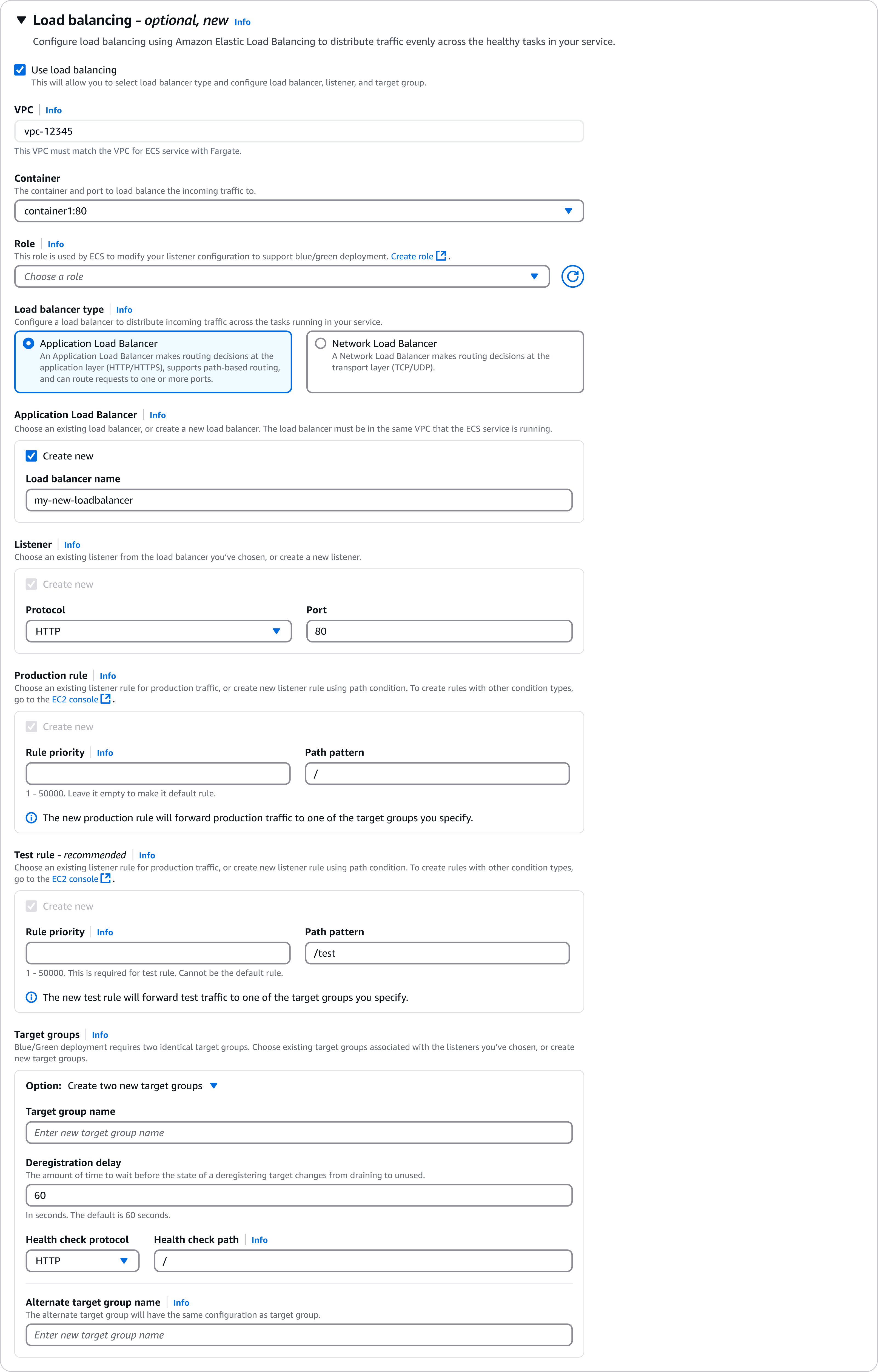
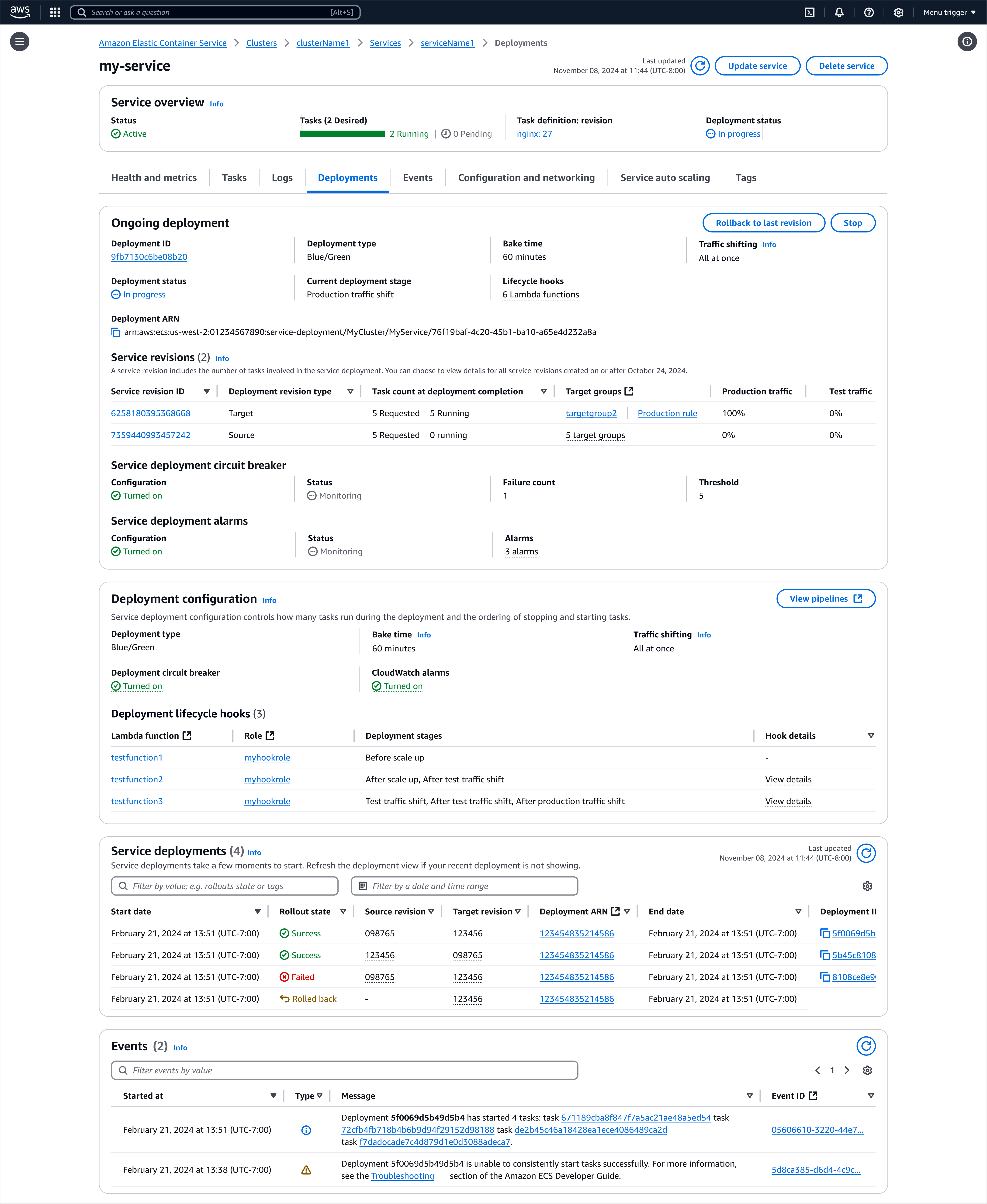
Blue/green deployment lets customers run old and new application versions in parallel, validate the new version with test traffic before shifting production traffic to it, and roll back in one move by re-routing traffic back to the old version. Building it into ECS removes the need to run separate deployment tools like CodeDeploy. It was a six-year ask, first raised by customers in 2019, and large enterprises such as Vanguard, Pearson, and Disney wanted it native rather than maintaining their own blue/green tooling.
I designed the experience end to end, from kickoff in July 2024 to design approval that August, across deployment configuration, load balancing and Service Connect, deployment controller type, and observability. The hardest part was load balancing: after a significant API change, the approved design no longer fit, so rather than patch it I remapped the whole configuration space with the ELB (Elastic Load Balancing) UX team and landed a flexible pattern that lets customers create new resources or reuse existing ones while keeping the form simple.
Console improvements
A range of ECS console improvements aimed at reducing complexity, closing gaps between the console and the API/CLI, and smoothing everyday UX paper cuts. I presented this body of work in an internal talk.
ECS Exec in the console
Launched 09/04/2025
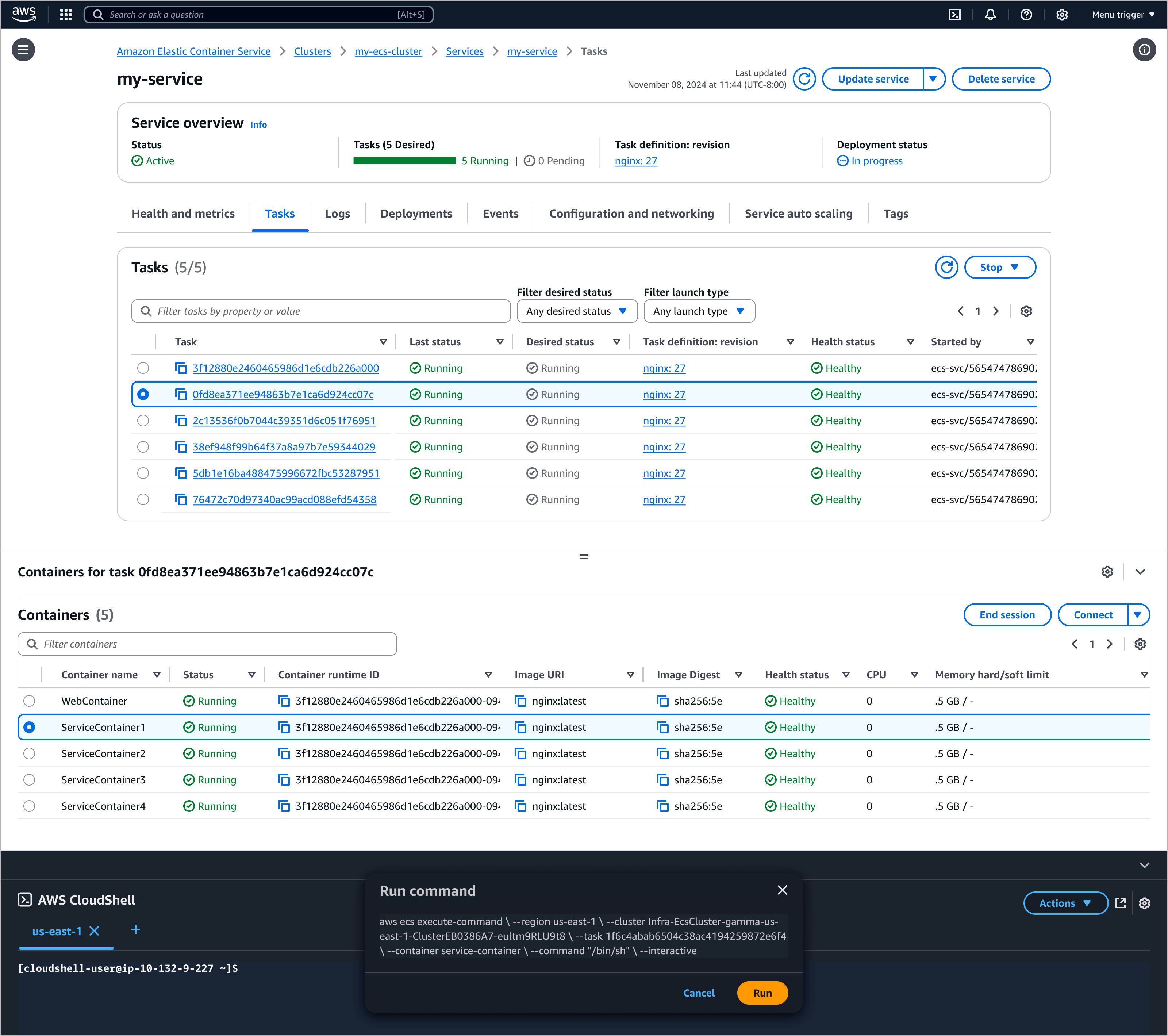
Brought ECS Exec into the console so customers can connect to running containers via CloudShell, no SSH keys or inbound ports required, closing a console-and-code parity gap open since March 2021. By the end of 2025 it had been used 287k times by 30k unique users.
Quick service update
Launched
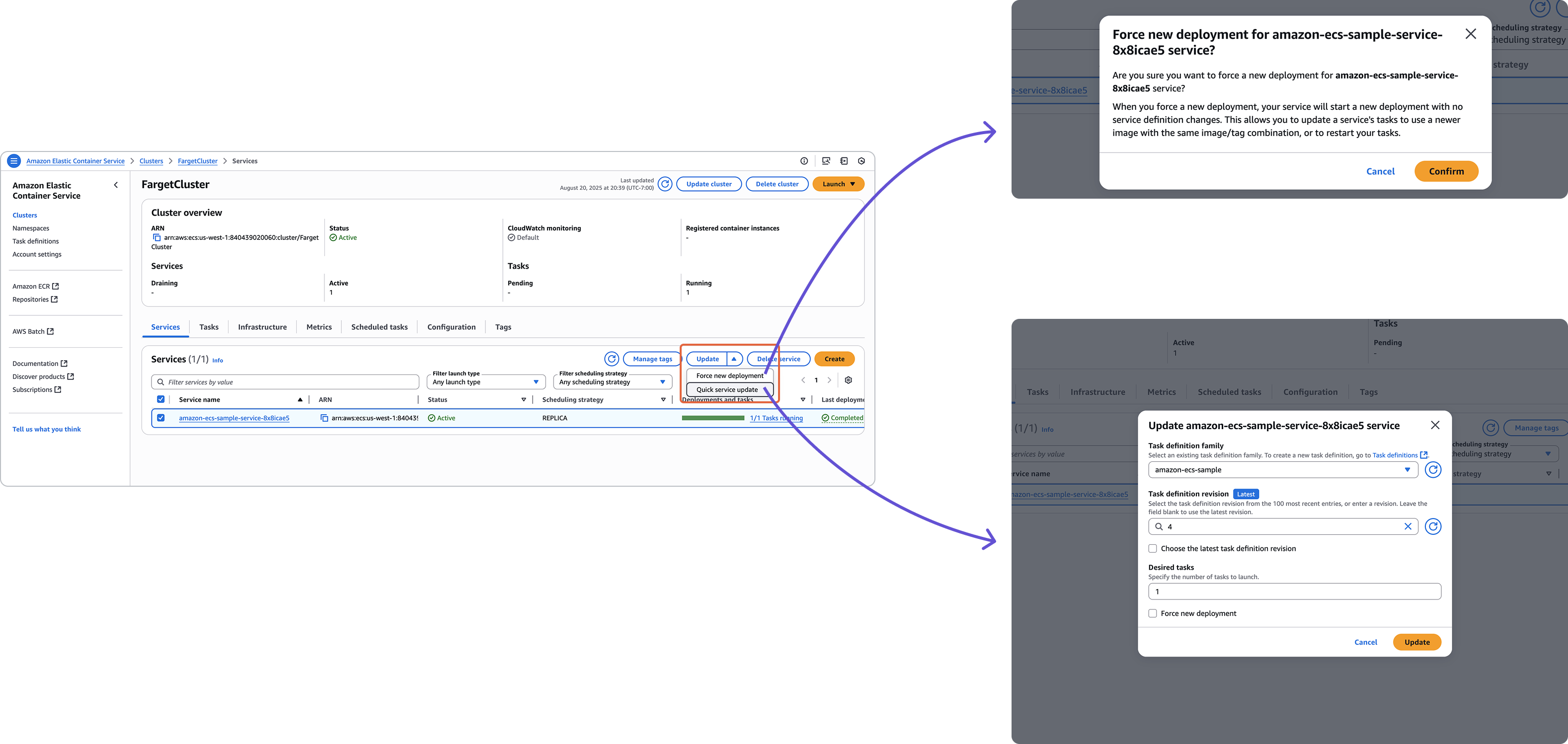
Added a “force new deployment” option to the Update service pulldown so customers can restart a rollout without editing the service. It became one of the most-used Update service actions in Darkroom and drew unprompted customer praise:
The “force new deployment” option in the pulldown for Update Service in ECS is just an absolutely incredible time saving feature and I’m very thankful for it.
Compare task definition revisions
Launched
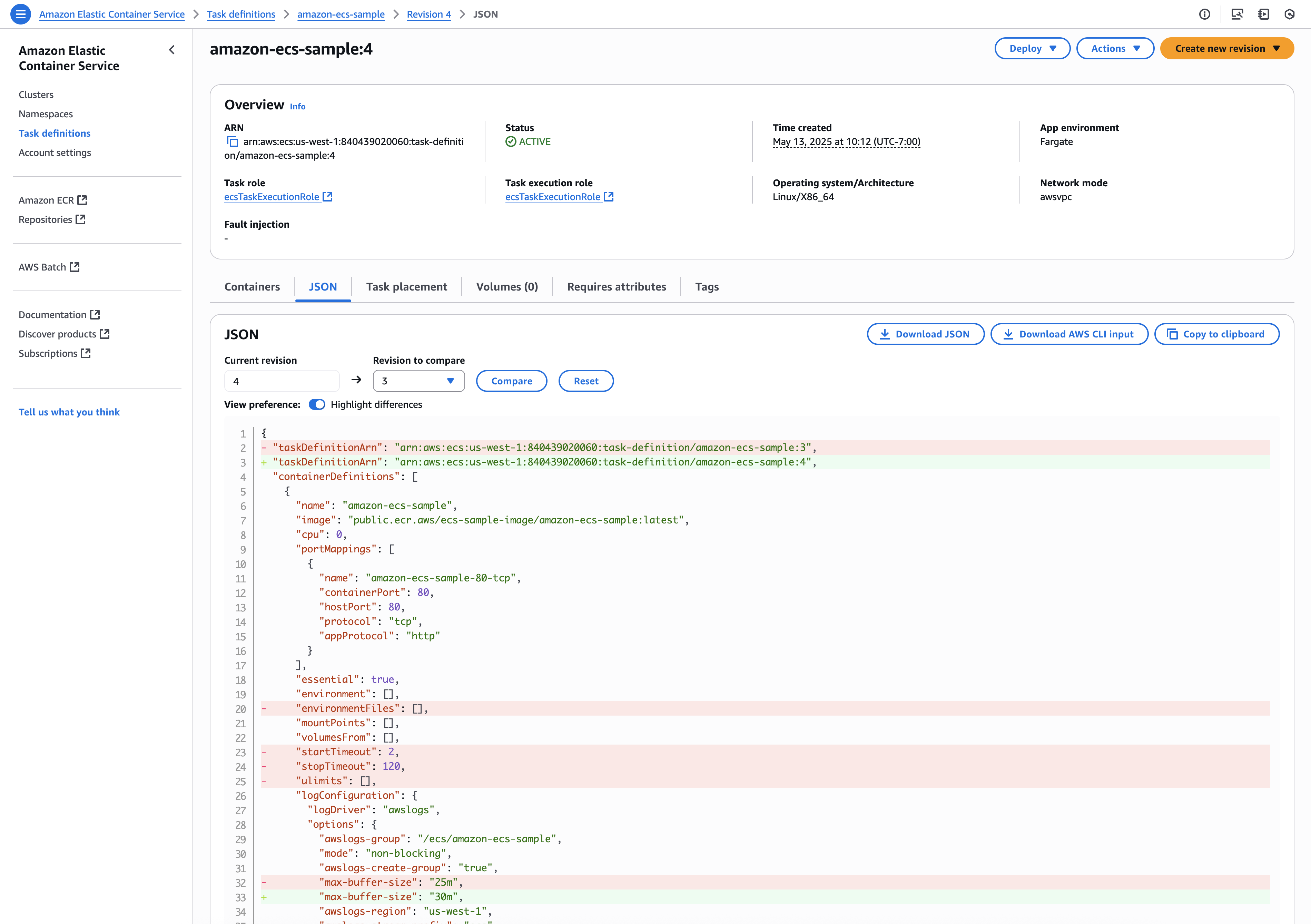
A console tool to diff two task definition revisions, reusing the existing JSON diff viewer component. I scoped it as an onboarding project for a new console engineer, in response to a long-standing request on the containers roadmap.
Better error message for stopped tasks
Launched
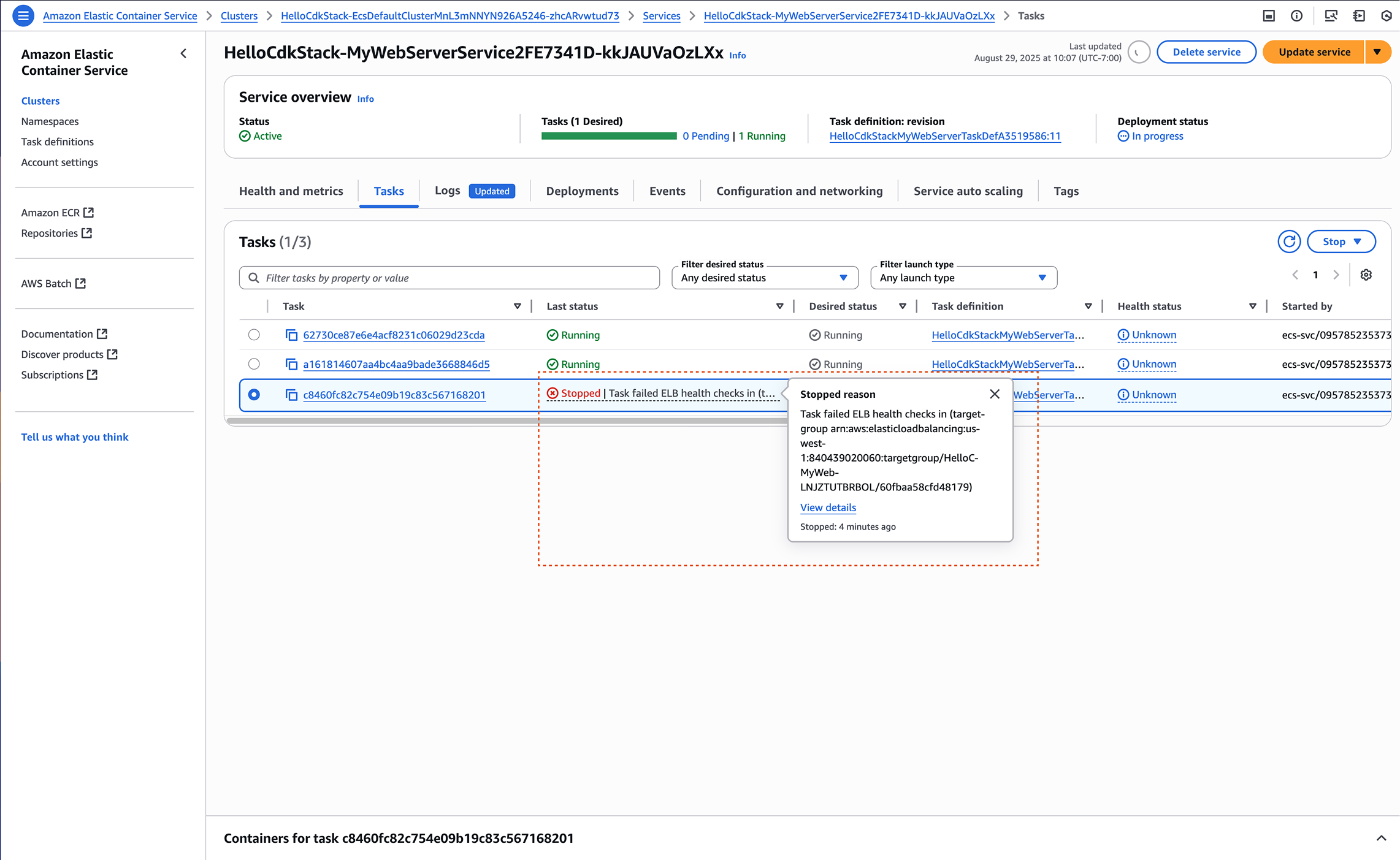
Surfaced the container stopped reason directly in the task status popover, so customers can see why a task stopped without opening the task details page.
Container details in task definition
Launched
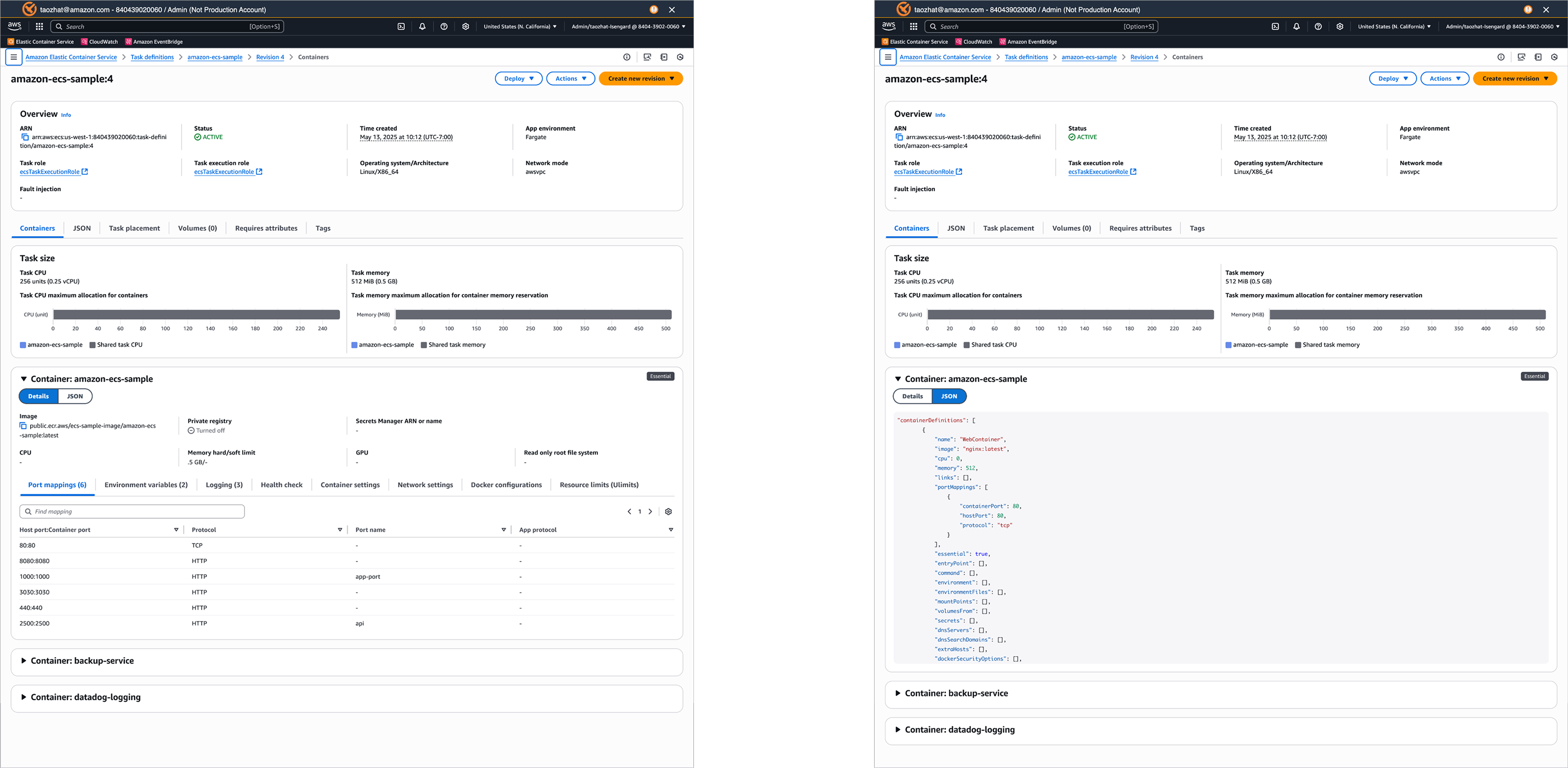
Brought container-level details into the task definition view, giving customers a clearer picture of what each task runs.
Load balancing configurations in update service form
Launched
Brought load balancing configuration to the Update service form (previously available only in Create service) and simplified the relationships among load balancer, listener, listener rules, and target groups. A “Create new” default keeps the form uncluttered for the roughly two-thirds of customers who reuse existing resources.
ECS events capture
Launched 09/30/2025
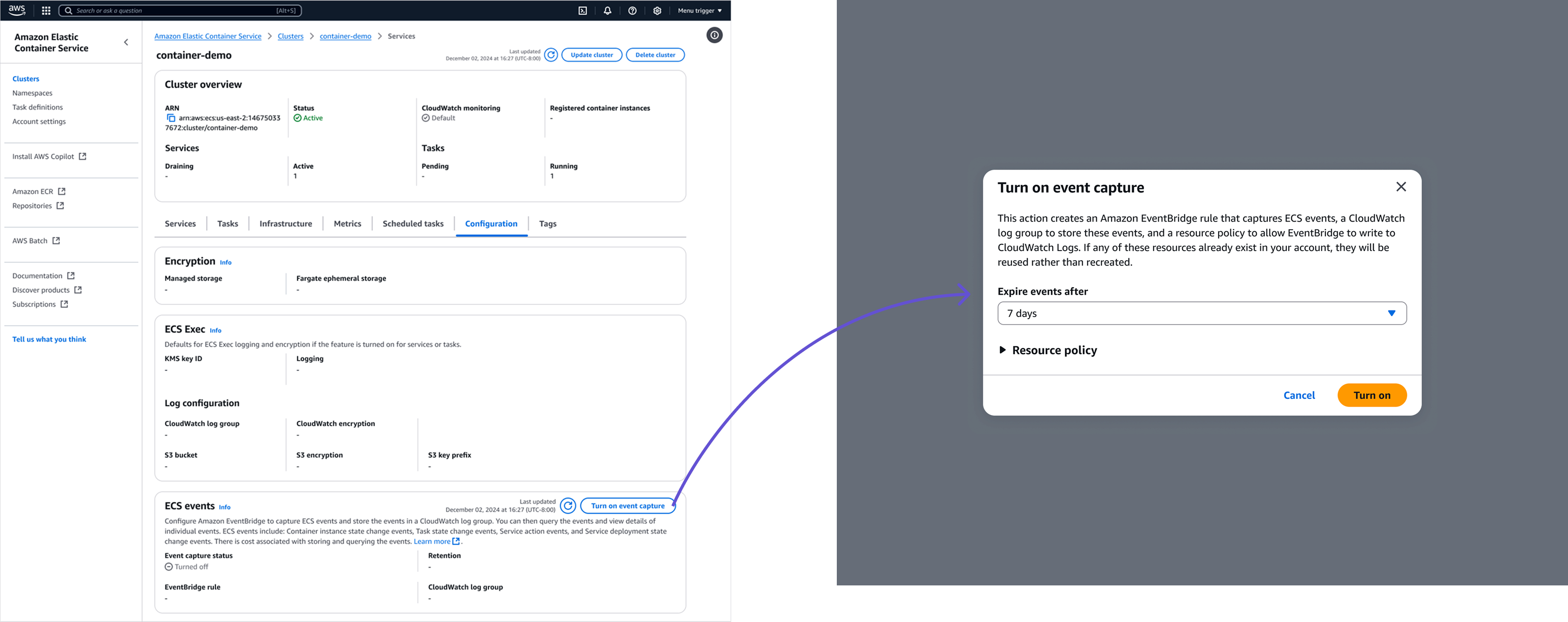
Replaced a complex EventBridge and CloudWatch setup with one-click event capture, added a new “History” tab to query and read past events, and reconstructed the task details page for historical tasks using event data from CloudWatch.
Create service form redesign
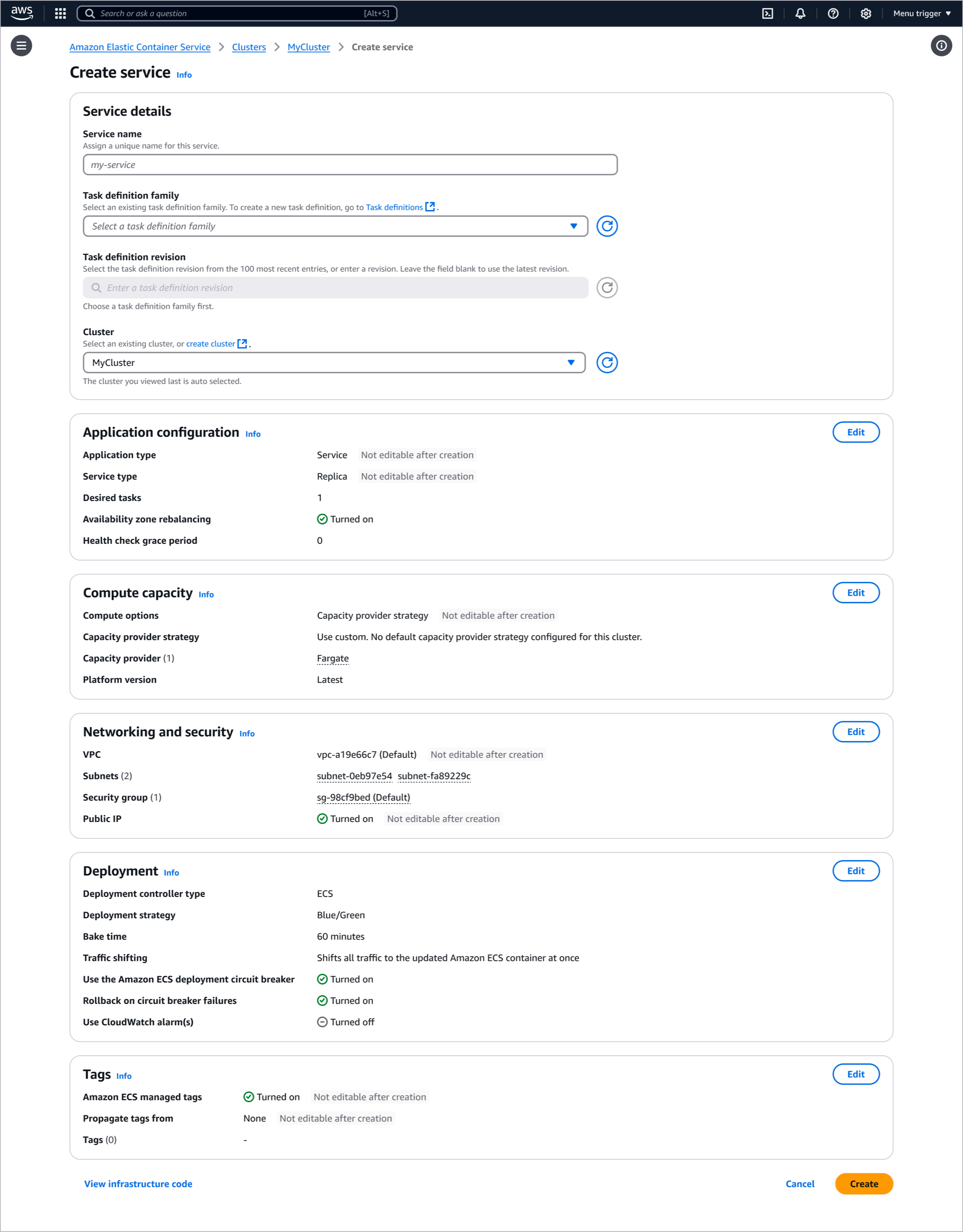
Reduced the complexity of the Create service form by blending “default” and “custom” paths, applying sensible defaults from the task definition and cluster, and separating display from editing. Smaller updates shipped along the way, and the work is a precursor to ECS Project Butterfly.